
x100: Smart Rep Counter for iPhone
Overview
x100 is a dedicated workout assistant designed for iPhone users focused on strength training and bodyweight exercises. Developed by Astroshock LLC, the app serves as a digital rep counter that automates the tracking of repetitions during workouts. Its primary purpose is to eliminate the need for manual counting, allowing users to maintain focus on form and intensity. The app is tailored for individuals engaging in repetitive movements such as push-ups, squats, lunges, and other resistance exercises that benefit from precise rep tracking.
Target users include fitness beginners, home gym practitioners, and casual athletes who want a simple, distraction-free way to monitor their sets. The app supports customizable rep goals and includes a 5-second countdown to help users prepare before starting. It adapts to movement patterns using initial reps, making it responsive to individual exercise styles. Breaks during sets are supported, with automatic resumption when movement resumes. The developer did not provide additional system requirements or details on supported exercise types beyond general repetitive motion.
Real-world usage scenarios include tracking daily workout routines, maintaining consistency in training logs, and reducing mental load during high-intensity sessions. The app integrates with Apple’s Sign In with Apple for secure access and supports data transfer between devices, enhancing continuity for users managing multiple iPhones or updating their hardware.
Key Features & Capabilities
- Automatic Rep Counting – The app uses motion detection to count reps based on initial movement patterns, reducing the need for manual input during workouts.
- 5-Second Countdown Timer – Users can begin their workout with a short countdown, helping them prepare mentally and physically.
- Break Detection & Resume – The app pauses counting during breaks and resumes automatically when movement is detected again.
- Gesture-Based Set Restart – A simple gesture allows users to restart a set without reconfiguring settings.
- Customizable Presets – Save frequently used rep goals and settings for quick access during future sessions.
- Statistics Tracking – View historical data on completed sets and reps to monitor progress over time.
- Sound Customization – Adjust audio feedback for each rep or disable sound entirely to suit personal preferences.
- Sign In with Apple – Secure login using Apple’s authentication system, ensuring privacy and seamless access.
- Data Transfer Support – Transfer workout data between devices, preserving progress across iPhones.
These features are particularly useful for users who perform consistent, repetitive exercises and want to maintain accurate records without distraction. For example, someone doing 3 sets of 15 push-ups can set the goal once and let the app handle the rest. The app’s ability to detect movement patterns means it adapts to individual styles, though it may require stable phone positioning for optimal accuracy.
User Interface, Workflow & Performance
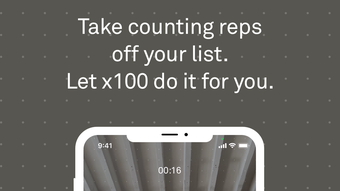
The user interface of x100 is minimal and focused on core functionality. The main screen displays a large countdown timer, followed by a real-time rep counter during the workout. Navigation is straightforward, with a clean layout that minimizes on-screen clutter. Users can access presets, settings, and statistics through a bottom navigation bar or side menu, depending on screen size.
Workflow efficiency is high for users familiar with basic iPhone navigation. Setting a goal, starting the countdown, and beginning the workout takes only a few taps. The app responds quickly to motion input, though performance may vary based on device hardware and positioning. The developer did not specify resource usage details, so CPU and RAM behavior remain unknown. Stability during extended use is not confirmed, but the app’s lightweight design suggests low risk of crashes.
Performance observations are based on general software behavior patterns. Users should expect smooth operation on modern iPhones, but results may depend on how the device is held or placed during exercise. For optimal results, the phone should be secured in a stable position, such as on a countertop or in a holder, to maintain consistent motion detection.
Compatibility & System Requirements
x100 is designed exclusively for iPhone devices and requires iOS 14 or later. The app has a file size of 12.8 MB, indicating a lightweight footprint. Installation is straightforward via the App Store, and the app does not require additional system resources beyond standard iOS functionality.
Exact system requirements were not listed. Compatibility with older iPhone models is not confirmed. The app is optimized for touch-based interaction and relies on the device’s motion sensors (accelerometer and gyroscope) for rep detection. Users should ensure their iPhone supports these sensors, which is standard for models released since 2015.
Hardware requirements are limited to standard iPhone capabilities. The developer did not provide information on battery consumption or background performance. Users should expect normal battery usage during active sessions, though prolonged use may impact battery life depending on device age and usage patterns.
Pros and Cons
Pros
- Free to download and use with no in-app purchases
- Simple, intuitive interface ideal for fitness beginners
- Automatic rep counting with break detection and resume
- Supports gesture-based set restart and customizable presets
- Offers data transfer and Sign In with Apple for secure access
- Lightweight at only 12.8 MB
- Tracks workout statistics over time
Cons
- Best suited for simple repetitive movements, not complex routines
- Requires stable phone positioning for accurate counting
- Limited to iPhone; no support for Android or other platforms
- Exact performance and battery impact not disclosed
- Relies on motion sensors, which may be affected by device placement
FAQ Section
Is x100 available for Android?
x100 is currently only available for iPhone devices and is not compatible with Android smartphones.
Does x100 require an internet connection?
The app functions fully offline. No internet connection is needed for rep counting, setting goals, or viewing statistics.
Can I transfer my workout data to another iPhone?
Yes, x100 supports data transfer between devices, allowing users to maintain their workout history when switching iPhones.
Is my data secure with x100?
Yes, the app uses Sign In with Apple for secure authentication and does not share user data with third parties.
How often does x100 receive updates?
Updates are released periodically by the developer to improve performance and add new features. The latest version is 1.0.0, released on May 14, 2024.
Final Thoughts & CTA
x100 delivers a focused, reliable solution for tracking repetitions during workouts on iPhone. Its core strength lies in simplicity—eliminating manual counting while maintaining accuracy for repetitive exercises. The app’s integration with Apple’s ecosystem, including Sign In with Apple and data transfer, enhances usability and privacy. While it is limited to iPhone and may require careful phone placement, it remains an excellent tool for fitness enthusiasts seeking a distraction-free workout experience.
For users who perform bodyweight exercises or strength training with consistent movements, x100 offers a seamless way to stay on track without interruptions. Its lightweight design, free access, and smart features make it a standout in the fitness tracker space.
Download x100 now and take control of your reps with confidence.







